快速开始
关于本指南
- Goal : 将Nocalhost Sever部署到Kubernetes群集。
- Estimate time : 5 minutes
-
Requirements :
- Any local or remote Kubernetes cluster (minikube, Docker Desktop, TKE, GKE, EKS, AKS, Rancher, ...). Allocate at least 4 GB of memory for single node clusters like Docker Desktop and minikube.
- RBAC must be enabled in above cluster
- Configured kubeconfig file that has namespace admin privilege
- Nocalhost IDE Plugin installed
- Kubernetes api-server can be accessed internal and external
- Helm 3+
1. Add Helm Chart Repository
2. Install the Nocalhost Server
No PVC
The above deployment will create a pvc for mariadb. If you do not have pvc or without permission to create, you can use the --set mariadb.primary.persistence.enabled=false to deploy Nocalhost Server without creating pvc.
3. Waiting for Pods to be Ready
You can check the pods status by kubectl or other Kubernetes tools.
4. Port-Forwarding to Access Web Service
Once the deployment completed, you need to manually port-forward the Nocalhost Web Service to local by using the following command.
You can now access the nocalhost dashboard with http://127.0.0.1:8080
5. Add Dev Cluster
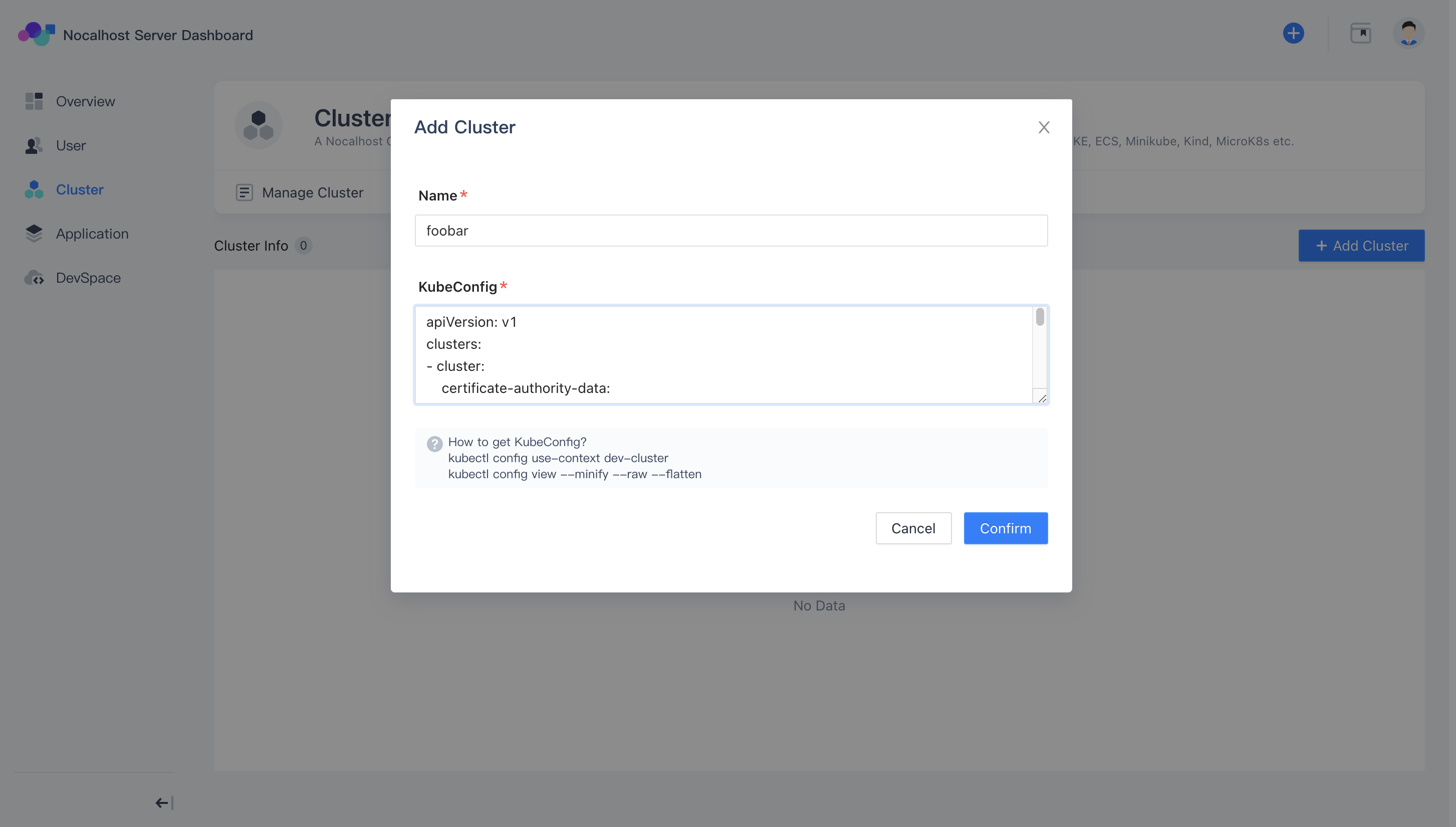
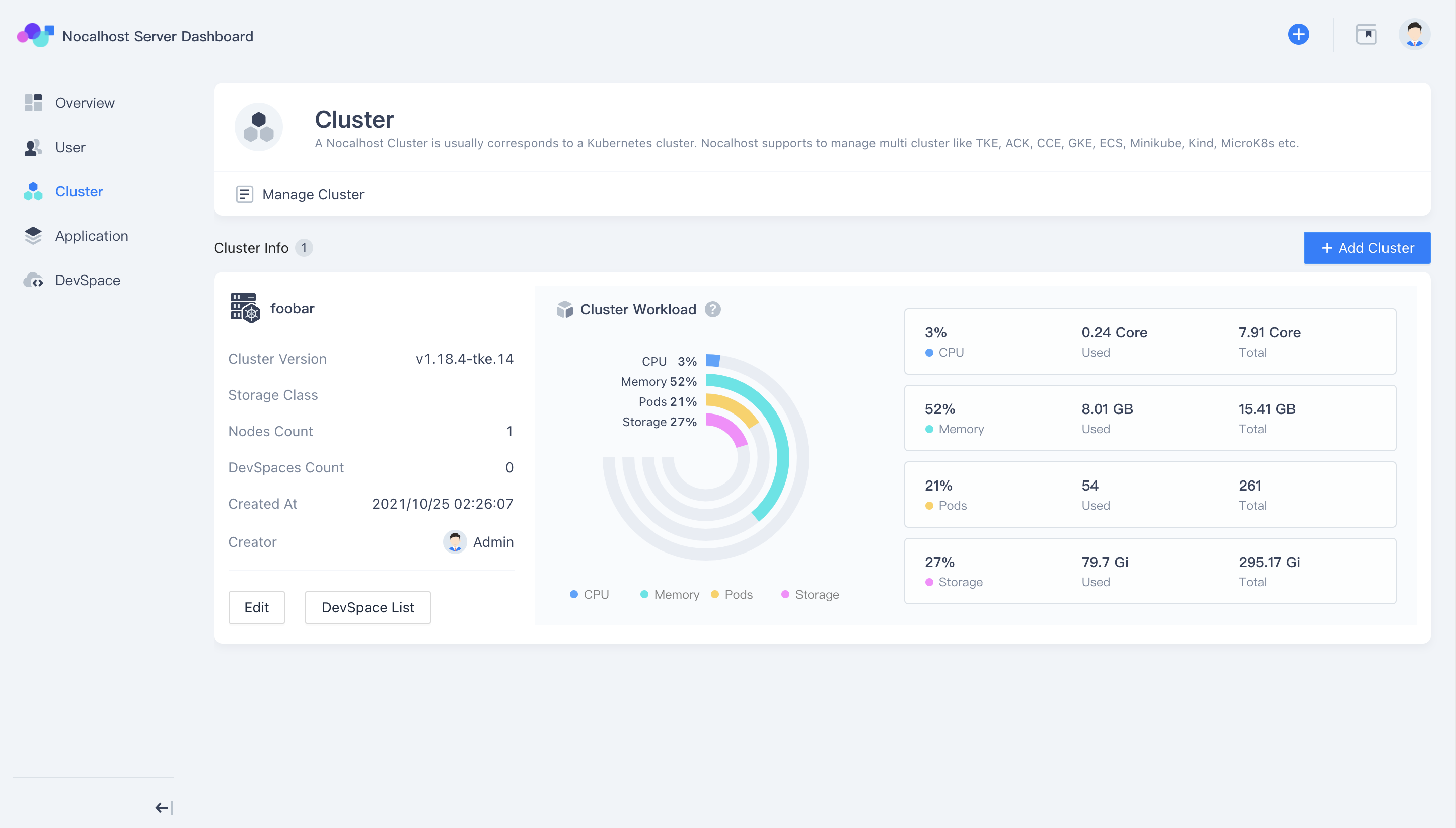
Access the nocalhost dashboard, Cluster→Add Cluster. Copy the contents of the Admin kubeconfig and paste it into the input box.